Cabinet constructor

Free online 3D cabinet designer with a cut list

Draw a kitchen run, a fitted wardrobe or a TV unit in the browser. CutGo builds every panel, door, drawer and shelf to joinery rules, writes the cut list and the edge banding, puts every hole on a drilling card, and sends the parts to the cutting optimizer and to a local workshop. Nothing to install, and nothing to sign up for to try it.

Open the constructor →Read the manualCut optimizer
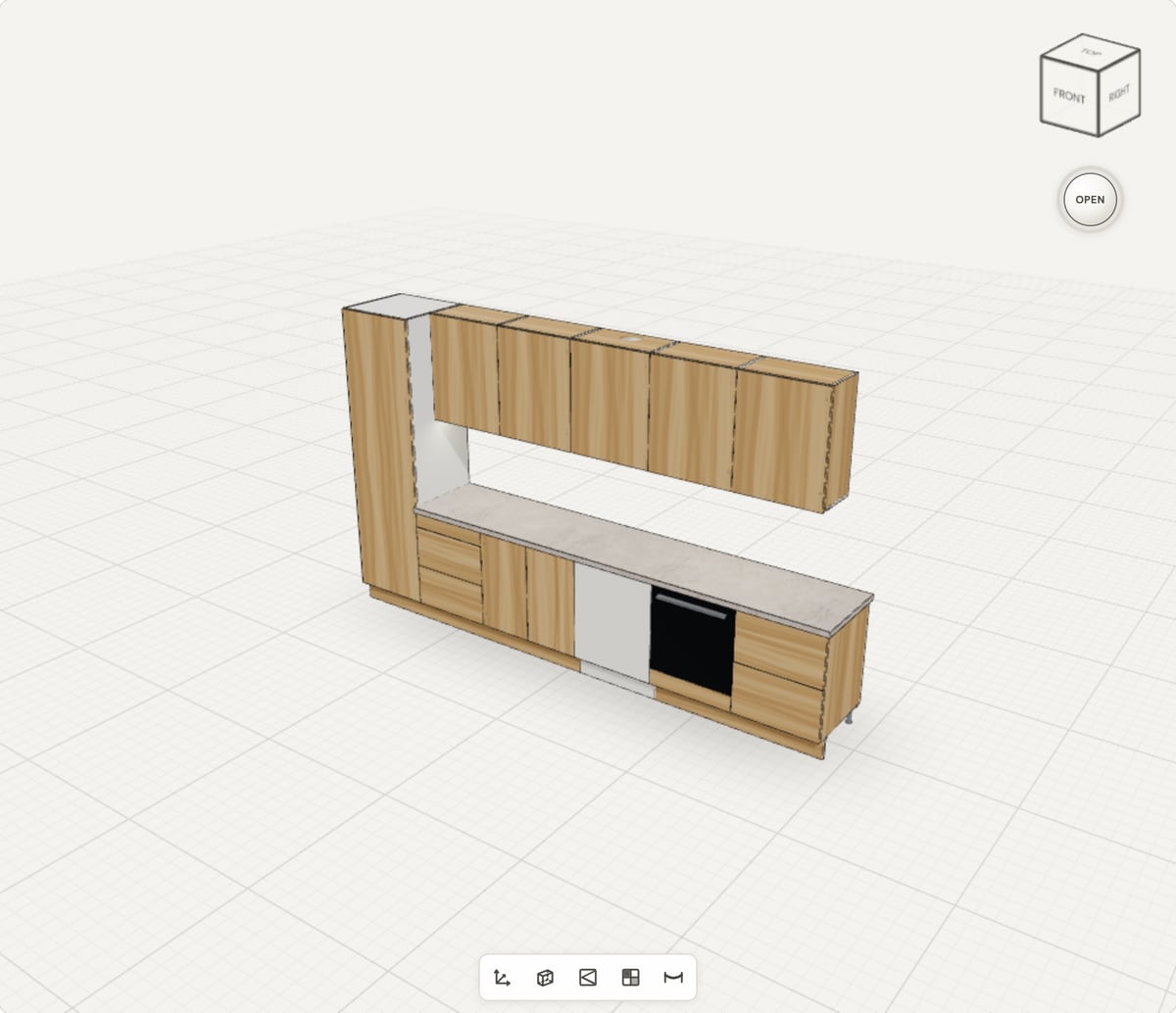
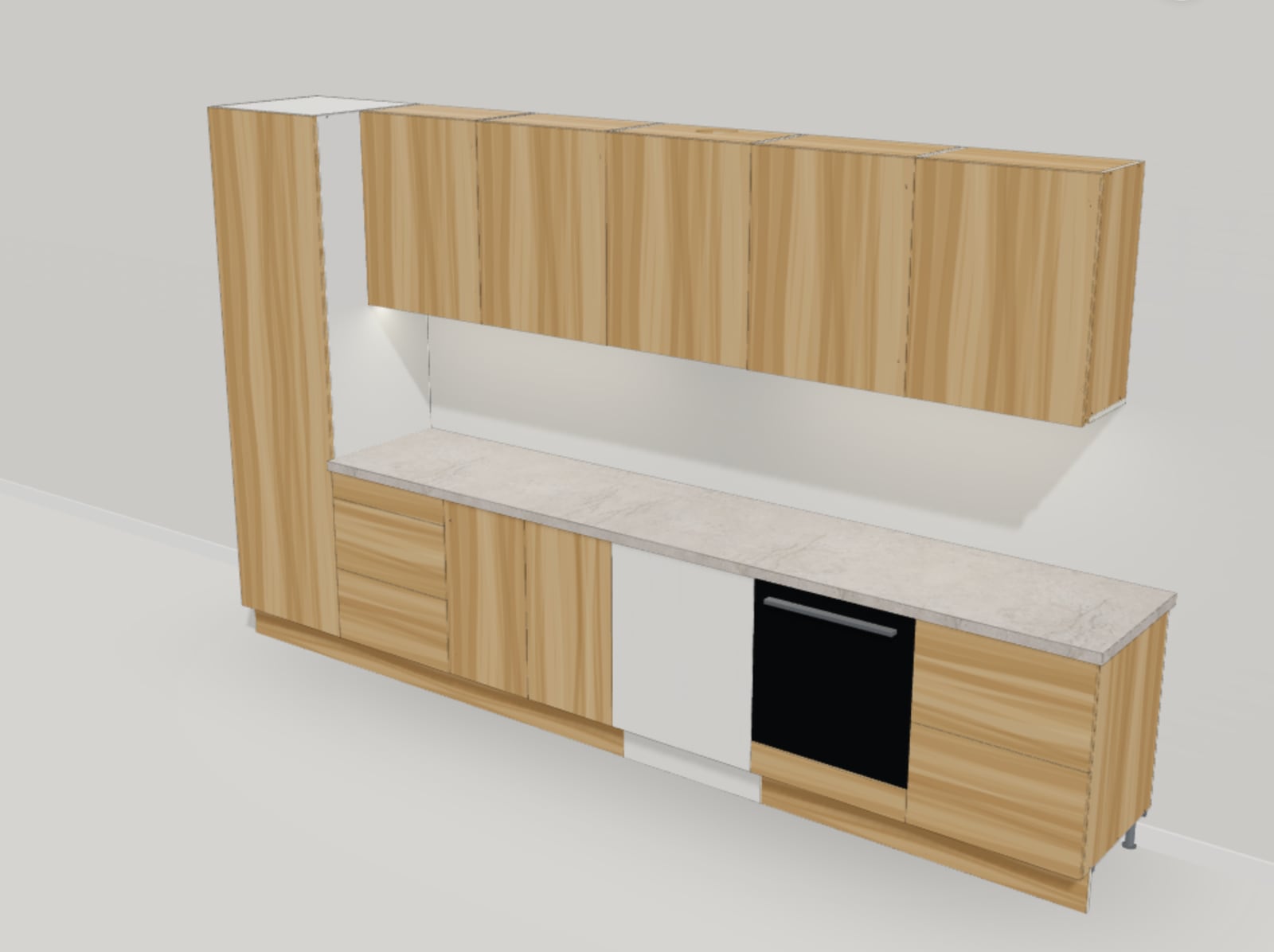
A kitchen run drawn in the CutGo cabinet designer: larder, drawer bases, sink base, dishwasher, oven base and wall units with a hood, in 3D

Try it: three projects drawn with the constructor

Each one was built in the constructor from its own presets and is shown here exactly as the generator builds it. Drag to turn, scroll to zoom, click a door or a drawer to open it. The figures and the table under the picture are the real cut list of what you see.

A larder, drawer bases, a sink base, a dishwasher, an oven base and five wall units with a hood — 3.8 m along one wall.

Loading the 3D view…
Modules
11
Parts to cut
97
Board, m²
29.88
Edge banding, m
100.8
Weight, kg
342.7
Fittings
98
Fixings
96

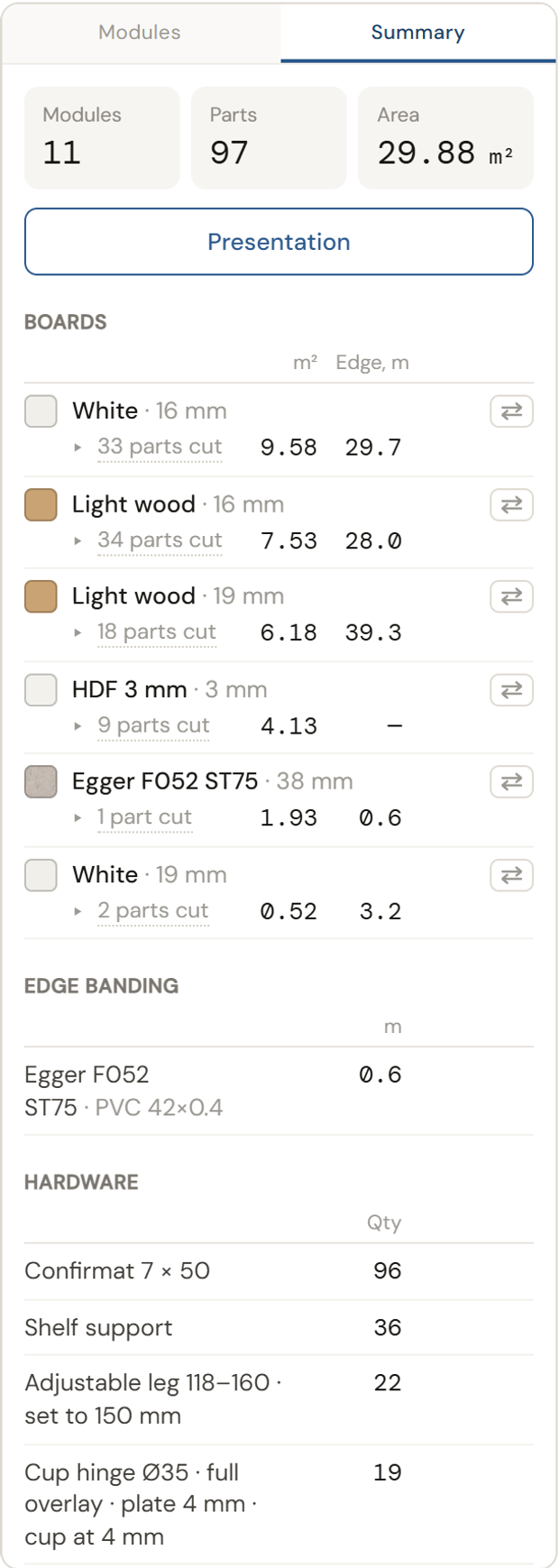
Boards: White 16 mm — 9.58 m² · Light wood 16 mm — 7.53 m² · Light wood 19 mm — 6.18 m² · HDF 3 mm 3 mm — 4.13 m² · Egger F052 ST75 38 mm — 1.93 m² · White 19 mm — 0.52 m²

Cut list · Kitchen run

PartSize, mmQtyBoardBanded edges
Side2110 × 5572White 16 mmB
Top / bottom568 × 5573White 16 mmT
Shelf566 × 5475White 16 mmT B L R
Back panel2110 × 6001HDF 3 mm 3 mm—
Door2108 × 5971Light wood 19 mmT B L R
Plinth2000 × 1491Light wood 19 mmT
Side722 × 5572White 16 mmB
Rail568 × 802White 16 mmT B
Drawer bottom549 × 5407White 16 mm—
Drawer back526 × 1484White 16 mmT
Drawer front597 × 3021Light wood 19 mmT B L R
Drawer front597 × 2991Light wood 19 mmT B L R
Drawer back526 × 532White 16 mmT
Drawer front597 × 1111Light wood 19 mmT B L R
Back panel722 × 6002HDF 3 mm 3 mm—
Worktop3219 × 6001Egger F052 ST75 38 mmR
Side722 × 5602White 16 mmB
Top / bottom768 × 5601White 16 mmT
Rail768 × 802White 16 mmT B
Door720 × 3972Light wood 19 mmT B L R
Plinth600 × 1491White 19 mmT
Door720 × 5971White 19 mmT B L R
Side722 × 5574Light wood 16 mmB
Top / bottom568 × 5572Light wood 16 mmT
Rail568 × 803Light wood 16 mmT B
Drawer front597 × 1141Light wood 19 mmT B L R
Divider568 × 5371Light wood 16 mmT
Back panel600 × 1201HDF 3 mm 3 mm—
Plinth1200 × 1491Light wood 19 mmT
Drawer front597 × 3591Light wood 19 mmT B L R
Drawer front597 × 3561Light wood 19 mmT B L R
Drawer back526 × 631White 16 mmT
Side740 × 3208Light wood 16 mmB
Top / bottom568 × 3209Light wood 16 mmT
Shelf566 × 2914Light wood 16 mmT B L R
Back panel724 × 5844HDF 3 mm 3 mm—
Door758 × 5974Light wood 19 mmT B L R
Pelmet1200 × 2902Light wood 19 mmT
Side760 × 3202Light wood 16 mmB
Divider568 × 3011Light wood 16 mmT
Back panel584 × 4041HDF 3 mm 3 mm—
Door757 × 5971Light wood 19 mmT B L R

Sizes are what the saw is given: whole millimetres, long side along the board, fronts rounded down so the joints do not close. T B L R are the top, bottom, left and right edges that get the band.

Open the constructor and draw your own →

What the constructor does

Made for joiners, kitchen fitters, small workshops and anyone who orders panels cut to size — it draws the furniture the way a shop builds it.

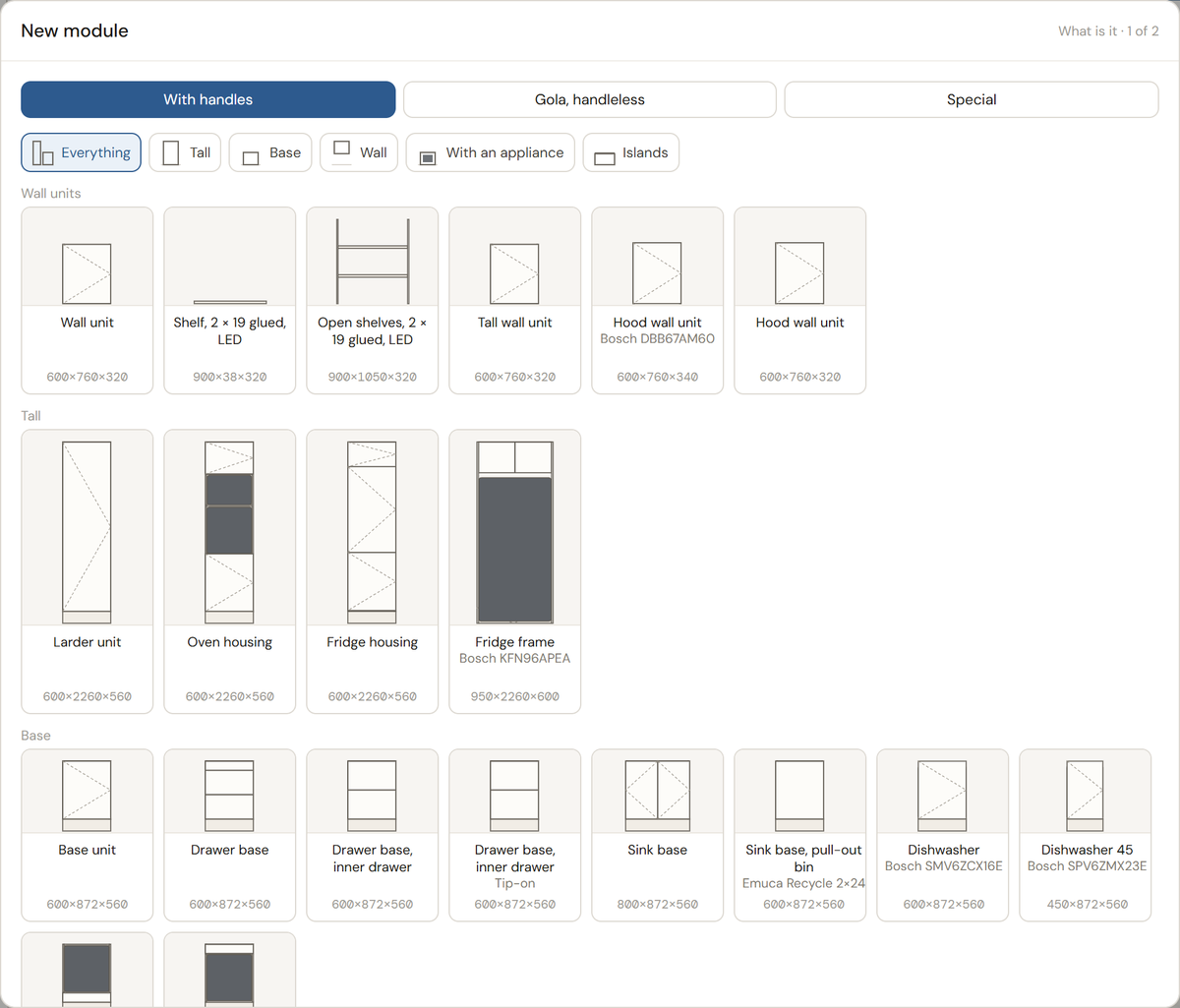
The preset list of the New module wizard: base units, drawer bases, sink bases, dishwasher and oven housings, wall units, larders, islands

Presets, not empty boxes

Base units, drawer bases, sink bases with a pull-out bin, dishwasher and oven housings, larders, wall units and hoods, islands in stone; wardrobes, bookcases, chests of drawers, hall units and TV units. Pick one, type the sizes, and it is built to the trade's rules: one leaf up to 600 wide and two over that, drawers on their runners, cup hinges with their plates, legs and a plinth.

A kitchen run in the 3D viewport with its worktop, wall units and hood

A kitchen set out to its lines

The work surface, where the wall units start and where the tops finish are the project's lines; every box follows them. A worktop runs over the whole run, a pelmet with an LED strip under the wall units, Gola handleless profiles where there are no handles, and the appliances are drawn to the manufacturer's sheet — Bosch ovens, dishwashers, hoods and fridges, with the niche they need.

The Summary tab: boards in m², edge banding in metres, hardware by the piece

Every panel is a part on the cut list

The cut list is written while you draw: whole-millimetre sizes for the saw, the grain along the board, which of the four edges is banded and with what, the board each part is cut from. The Summary tab adds the boards in m², the metres of banding, the hardware and the weight, and the cost once your price list is in.

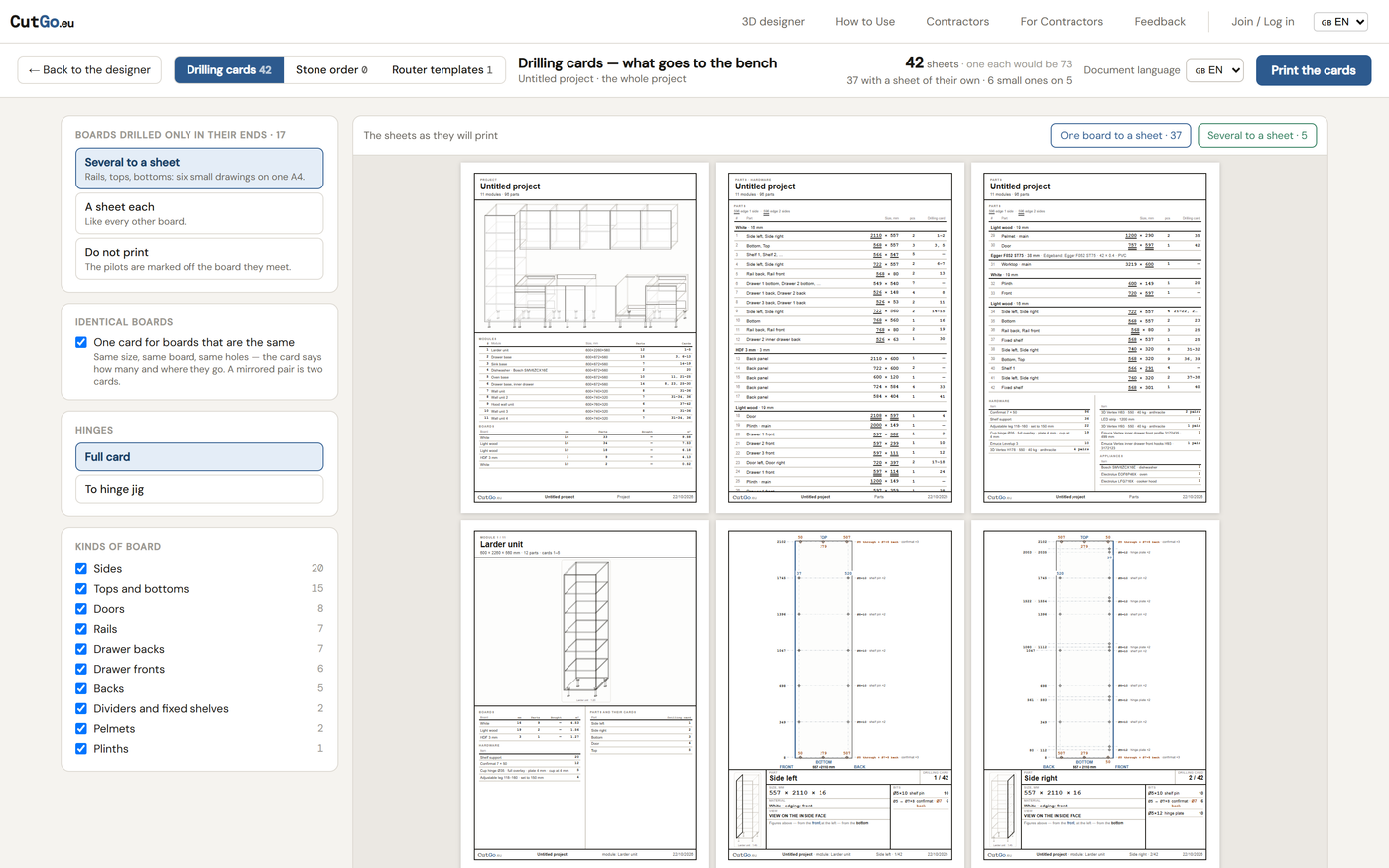
Drilling cards: a panel with its holes dimensioned from the edges and the bits to use

Drilling cards for the bench

Confirmats, cams and dowels, shelf pins on the 32 line, hinge cups and plates, runner holes, hanger holes, the groove for the back: each panel gets a card with the view it is drilled from, the bits, and the holes dimensioned from the edges. Notches and cut-outs go out as router templates.

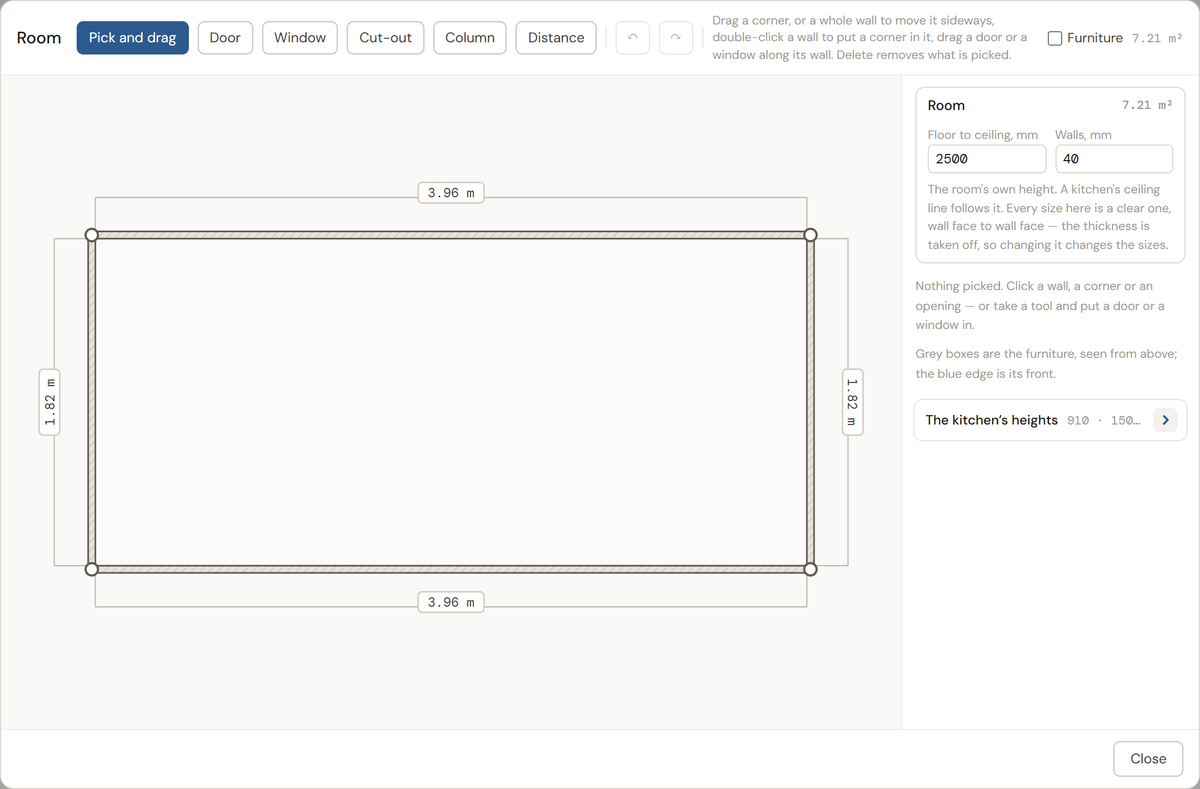
The room editor: a plan with walls, a door and a window

The room it stands in

Draw the room on a plan — walls, a door, a window, a niche — and build into it. A wardrobe fitted to a crooked niche gets fillers scribed to the wide end; a run of boxes stands against the wall; doors that would hit a wall are flagged before the furniture is cut.

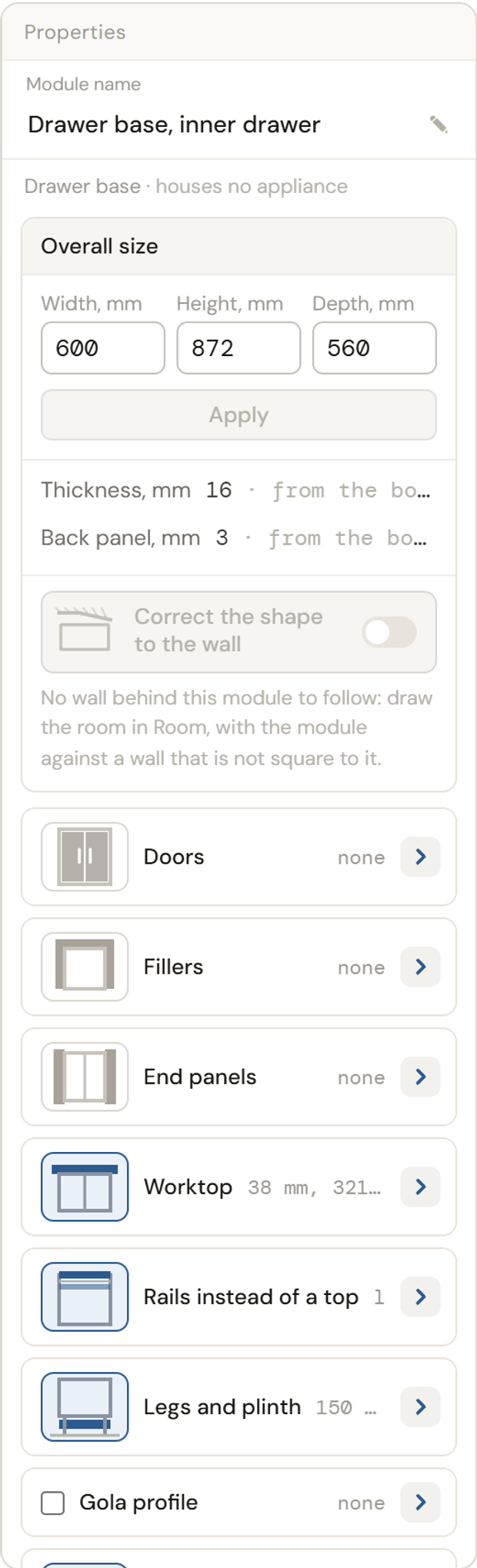
The properties panel: cards for doors, drawers, end panels, wall hangers

Boards and hardware you actually buy

Boards come from your stock with their real sheet sizes and prices, edge bands from your reels, painted MDF by RAL, stone worktops by the slab. Drawers on Emuca Vertex or Simplex, Blum Merivobox; Clip top hinges; Push Sincro and Push Lite tip-on; Emuca Harmony pull-out larders, Recycle bins and Gola profiles — counted by the piece.

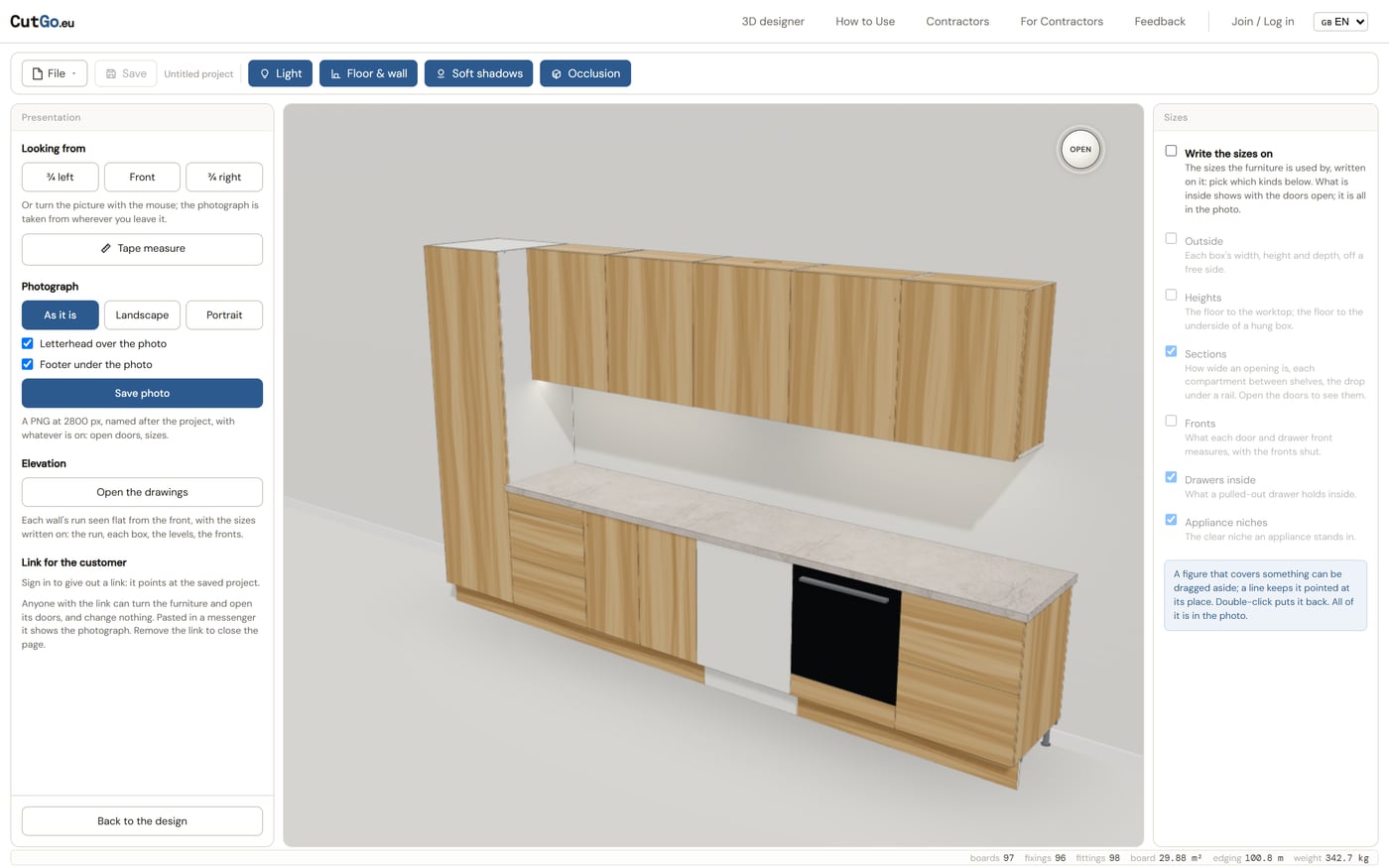
Presentation mode: the furniture with soft shadows, a floor and a wall

Something to show the customer

Presentation mode turns the drawing into a picture: soft shadows, a floor and a wall, sizes written on the furniture, a photograph at 2800 px. A link lets the customer turn the furniture and open its doors on a phone; the offer puts the 3D, the options, the price table and the PDF on one page.

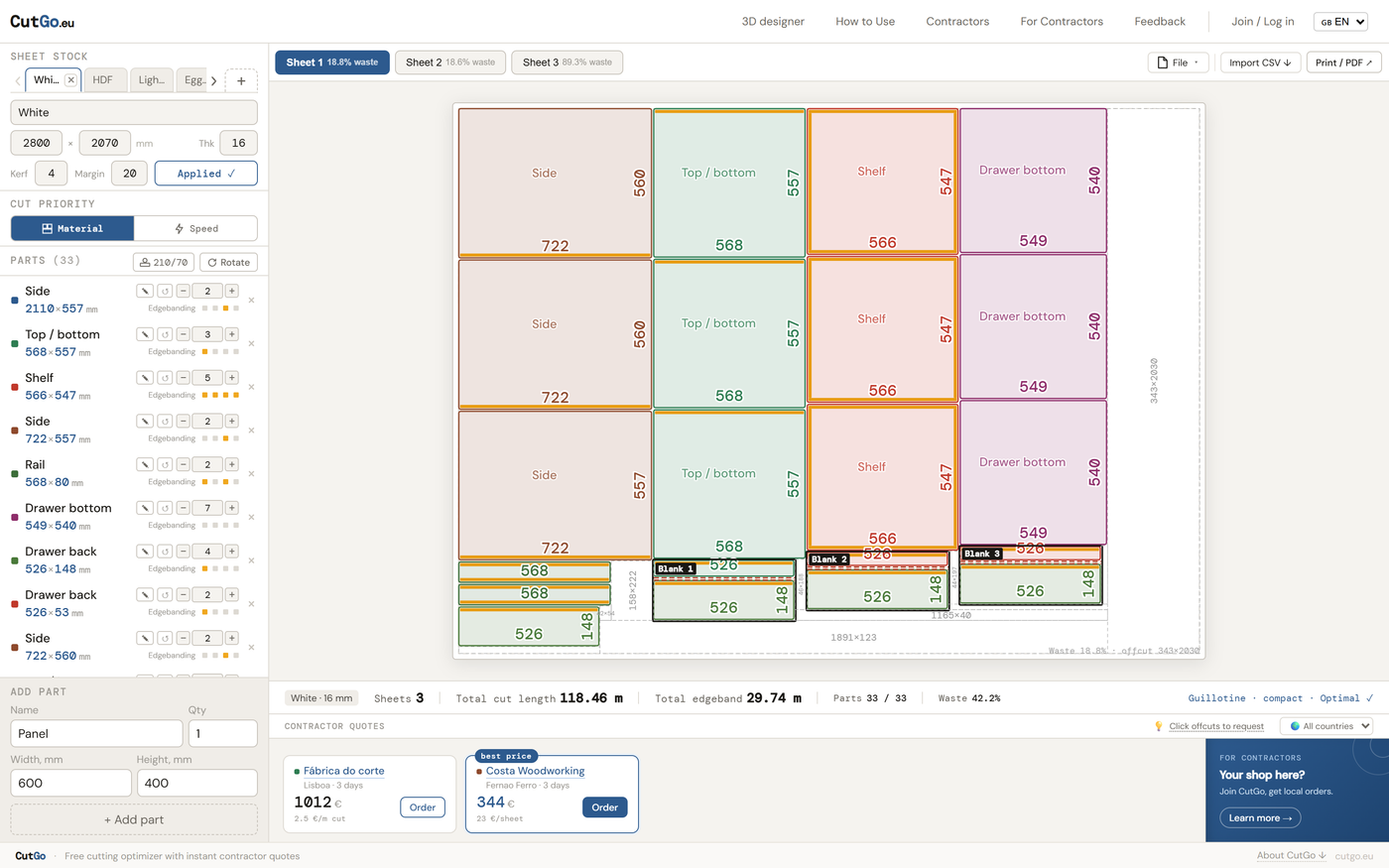
The cut optimizer with the constructor's parts laid out on sheets

From the drawing to the saw

One click sends every part to the cut optimizer, which lays them out on your sheets with the least waste, prices the job with the workshops on the map, and sends the order. The cutting map, the parts list and the drilling cards come out as PDFs the shop works from.

How it works

  1. 01

    Say what you are building

    A kitchen, wardrobes and storage, or the room first. Asked once: everything you add after comes from that list, set out to that project's heights.

  2. 02

    Add modules from the presets

    Pick a preset, type the width, height and depth, choose the carcass board and the fronts' board. A kitchen box lands in the run beside the last one; a wall unit hangs on its line.

  3. 03

    Change what the preset guessed

    The properties panel is a stack of cards — doors, drawers, shelves, rails, fillers, end panels, legs, joints, worktop. Move and copy modules, push a face in or out with the Offset tool, split a section, swap a board for another.

  4. 04

    Read the Summary and the warnings

    Boards in m², banding in metres, every hinge, runner, leg and screw by the piece, and the cost from your price list. A shelf that will sag, a door that hits a wall or a panel longer than the sheet is flagged before anything is cut.

  5. 05

    Send it to be cut

    Send to cut plan lays the parts out on sheets; pick a workshop on the map and place the order. Print the drilling cards and the cutting map, save a photo, and give the customer a link.

Questions about the cabinet designer

Is the 3D cabinet designer free?

Yes. Drawing, the cut list, the drilling cards and the cut optimizer are free. You pay only a workshop for cutting, if you order through CutGo.

Do I need an account?

Not to draw: the constructor opens without one and keeps your work in the browser. Sign in — free — to save projects, keep a warehouse of boards and offcuts, use your own price list, and give customers a link to the 3D.

What is in the cut list?

Every visible panel with its width, height and quantity in whole millimetres, the board it comes from, the grain direction, and which edges are banded with which band. Doors and drawer fronts are rounded down so the joints stay open. Supplied parts — a worktop blank, an appliance — are listed to order, not to cut.

Which hardware does it know?

Emuca Vertex and Simplex drawers, Push Sincro tip-on drawers, inner drawers, Blum Merivobox and Clip top hinges with Blumotion, Push Lite catches for handleless doors, Gola profiles, Levelup wall hangers, Harmony pull-out larders, Recycle waste bins, LED strips, adjustable legs and plinth clips, confirmats, cams and dowels. Appliances are drawn from Bosch sheets: ovens, dishwashers, hoods, fridges and hobs.

Can it build a wardrobe into a crooked niche?

Yes. Choose Built in, measure the height at both walls and the width at the floor and at the ceiling, and the wardrobe is made to the narrow end with fillers down the sides and across the top cut to the wide one and scribed on site.

Does it run on a phone?

The 3D view, the customer's link and the offer run on a phone. Drawing is for a desktop screen: the tree, the viewport and the properties panel side by side.

What can I export?

The cutting map and the parts list as a PDF, the drilling cards as a PDF, photographs as PNG, router templates as SVG or DXF, the customer's offer as a PDF, and the parts straight into the cut optimizer.

Which languages?

English, German, Spanish, Polish, Portuguese and Russian for the interface; the shop documents and the customer's offer can be printed in a language of their own.
More